
To rank higher on Google Maps in Flagstaff, fix three things: your Google Business Profile, your reviews, and how consistently your business shows up across the web. Google says local results rest on relevance, distance and prominence, and a Flagstaff business can improve the first and third on its own.
Flagstaff is not Las Vegas. Many of your searchers are visitors, often typing from out of town, in a season, with a plan to book fast. This guide covers what matters for that kind of demand, in plain steps you can start this week.
TL;DR
- Google ranks local results by relevance, distance and prominence. You control relevance and prominence. Distance you cannot change.
- Pick the right primary category, fill in every field, and list your services in plain words.
- Earn reviews steadily and answer every one. Never offer a discount or gift for a review.
- Set special hours for holidays and weather closures so visitors see the truth.
- Track calls, direction requests and website clicks in your Performance report every month.
Table of Contents
- How Google Maps decides who shows up in Flagstaff
- Set up your Flagstaff Google Business Profile the right way
- Win the visitor search in Flagstaff
- Reviews: the prominence engine
- Listings, your website and local links
- Measure what is working
- A 30-day Flagstaff Maps plan
- Common mistakes in Flagstaff
- Where MCNM can help
- Our view on Maps in Northern Arizona
- FAQ
- Sources
How Google Maps decides who shows up in Flagstaff
Google states that local results are based mainly on relevance, distance and prominence. Here is what each one means for you:
- Relevance: how well your profile matches what the person typed. A search for “hot tub repair Flagstaff” favors a profile that clearly says hot tub repair.
- Distance: how far you are from the searcher, or from the area named in the search. You cannot move your building, but you can make sure your address or service area is accurate.
- Prominence: how well known you are. Google says this includes review count, review score, links, articles and directories.
The Whitespark local ranking survey, as summarized by Search Engine Land, lists the top local pack factors. They include your primary category, keywords in your business name, how close your address is to the search point, a physical address in the searched city, a high Google rating, extra categories, the number of native Google reviews and a verified profile. Notice how much of that list is under your control.
Set up your Flagstaff Google Business Profile the right way
Start with the profile. It is the single biggest lever you have.
Choose one strong primary category
Search Engine Land, citing the same Whitespark research, calls a proper primary category the number one local ranking factor. Pick the category that describes your core business, not the nicest-sounding one. A plumber picks “Plumber,” not “Home improvement.”
Google’s guidelines ask you to use as few categories as needed to describe your core business. Add secondary categories only when they are real services you sell. Google’s playbook allows up to 10, but more is not better.
Use your real business name
Keyword stuffing in the name can get your profile suspended. Use the name customers see on your sign, invoice and website.
List an honest address or service area
This is where many Flagstaff businesses get stuck. Google’s rules are clear:
- You need to make in-person contact with customers during your stated hours. Online-only businesses and lead generation agents are not eligible.
- P.O. boxes and remote mailboxes are not acceptable. A virtual office where you do not operate is ineligible as well.
- If you visit customers at their homes, you are a service-area business. Google’s playbook says you can list up to 20 service areas. It also says your overall area should stay within about two hours of driving from your base.
That two-hour guide fits Northern Arizona well. A Flagstaff company can reasonably list Flagstaff, Bellemont, Williams and Doney Park. A Flagstaff base covering Sedona is within reach. A Flagstaff base listing Phoenix is not.
Search Engine Land describes three setups: home-based service-area businesses, storefronts and hybrids. Home-based businesses hide the street address. Storefronts show it. Hybrids, like a bike shop that also does mobile repair, show both. Pick the one that matches how you really work.
Fill in every field
Google says businesses with complete and accurate information are more likely to appear in local results. Add:
- Full address or service area
- Hours, including holidays
- Phone number and website
- Services, each with a short plain description
- Attributes like parking or Wi-Fi where they apply
Search Engine Land also suggests listing services with detailed descriptions and pricing, if available, since that can help you show up for related searches. Use the words customers use. A visitor types “snow removal” or “guided hike,” not your internal service names.
For a full walk-through, use our Google Business Profile optimization checklist.
Win the visitor search in Flagstaff
This is the part the generic guides skip. Flagstaff draws more than 5 million visitors a year, according to a 2024 local news report, and tourism employs about 1 in 10 people in the city. Many of those visitors search on their phones while driving up the I-17, heading in from the Grand Canyon, or sitting in a hotel.
That changes how you set up your profile.
Write for someone who does not know the town
A visitor does not know that “Downtown” means the Historic Route 66 area or that “Southside” is near the university. Name the street. Mention landmarks in your business description when they are true, such as being near the train station or the Northern Arizona University campus.
Keep hours accurate through every season
Nothing loses a visitor faster than driving to a closed door. Google lets you set special hours when you change hours or close for up to 6 days in a row. It suggests confirming hours for official holidays, even if they match your normal hours.
Flagstaff-specific moments to plan for:
- Memorial Day, July 4th and Labor Day weekends
- Winter storm closures, when Snowbowl traffic and road conditions shift demand
- Fall color weekends and the first snow
- Slow-season hours when you cut back
A November Google update reportedly began boosting businesses that are open at the time of the search in local results. Accurate hours may help you directly, and they certainly help customers.
Add photos that match the season
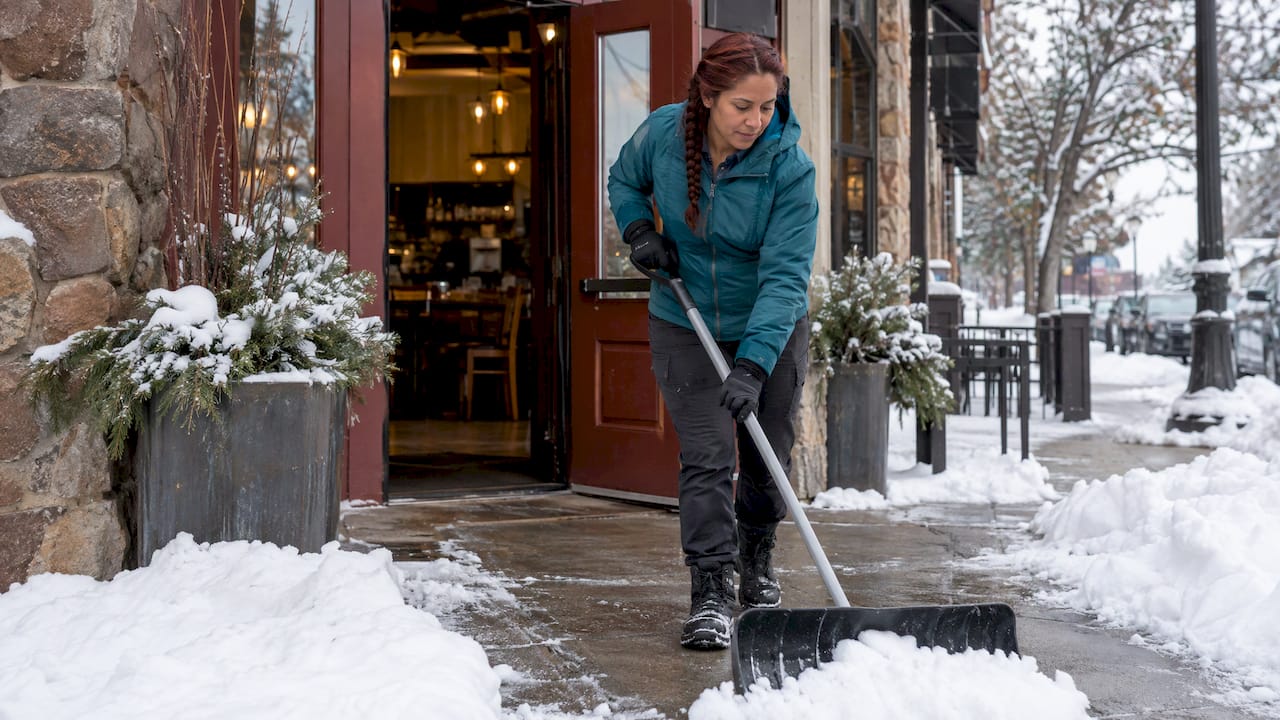
Search Engine Land’s playbook summary says about 90% of consumers are more likely to visit a business with photos on its profile. Post real photos of your storefront, your team, your work and your parking. In summer, show shade and patio seating. In winter, show the heated entry and the cleared sidewalk. Visitors judge you in seconds.
Our Google Business Profile posts guide shows what to post and how often.
Think about spillover from Sedona and Prescott
A Sedona searcher may end up in Flagstaff for a day trip, and a Prescott family may drive up for a weekend. If you serve those areas, list them as service areas only when you truly go there. If you have a storefront in Flagstaff, do not create separate profiles for Sedona or Prescott. Google’s rules allow one profile per business, and fake locations put your real one at risk.
For how this fits into a broader plan, see our Northern Arizona tourism marketing playbook.
Reviews: the prominence engine
Reviews are the clearest prominence signal you can build. Search Engine Land reports that 91% of people read reviews to judge local businesses, and 65% are more likely to choose a business that replies to them.
A simple routine works:
- Ask every happy customer. Do it right after the job or the visit, while it is fresh. Send a direct link by text or email.
- Make it easy for visitors. Tourists will not search for you again later. A QR code at the counter or on a receipt gets the review done before they leave town.
- Reply to every review. Thank people by name. Keep replies short and specific.
- Handle bad reviews calmly. State the facts, offer to fix it offline, and move on.
One rule you must follow: Google says offering free or discounted goods or services in exchange for reviews is fake and misleading content and is strictly prohibited. No coupons, no raffles, no “review for 10% off.”
Our Review Generation Engine is $397 per month if you want this running without adding to your own workload.
Listings, your website and local links
Google says prominence also draws on information from across the web. Keep your name, address and phone number the same everywhere: your website, directories, and social profiles. A small mismatch, like “Ste 2” in one place and “Suite 2” in another, is not a disaster, but a different phone number is.
Make sure your website has a clear page for your Flagstaff location or service area. Include your address, hours, services and a map. Then earn local links the natural way:
- Join the local chamber of commerce and get listed on its member page
- Sponsor a local team or event and ask for a link
- Partner with nearby businesses that send you customers, like a lodge and a tour company
- Get listed on community and visitor pages that fit your business
These are slow wins, but they compound.
Measure what is working
Google’s Performance report in your profile shows views, searches, direction requests, calls, website clicks, messages and bookings. The searches data updates at the start of each month and can take up to 5 days to appear.
Check it once a month and write down four numbers: calls, direction requests, website clicks and searches. Compare to the same month last year, not the last month. Flagstaff is seasonal, so July will always beat February.
To see where you stand today, run our free Local SEO Checkup. It shows how visible your business is for local searches.
If your phone rings during a job or a rush and nobody picks up, that traffic is wasted. The free Missed Call Calculator shows what those calls may cost you.
A 30-day Flagstaff Maps plan
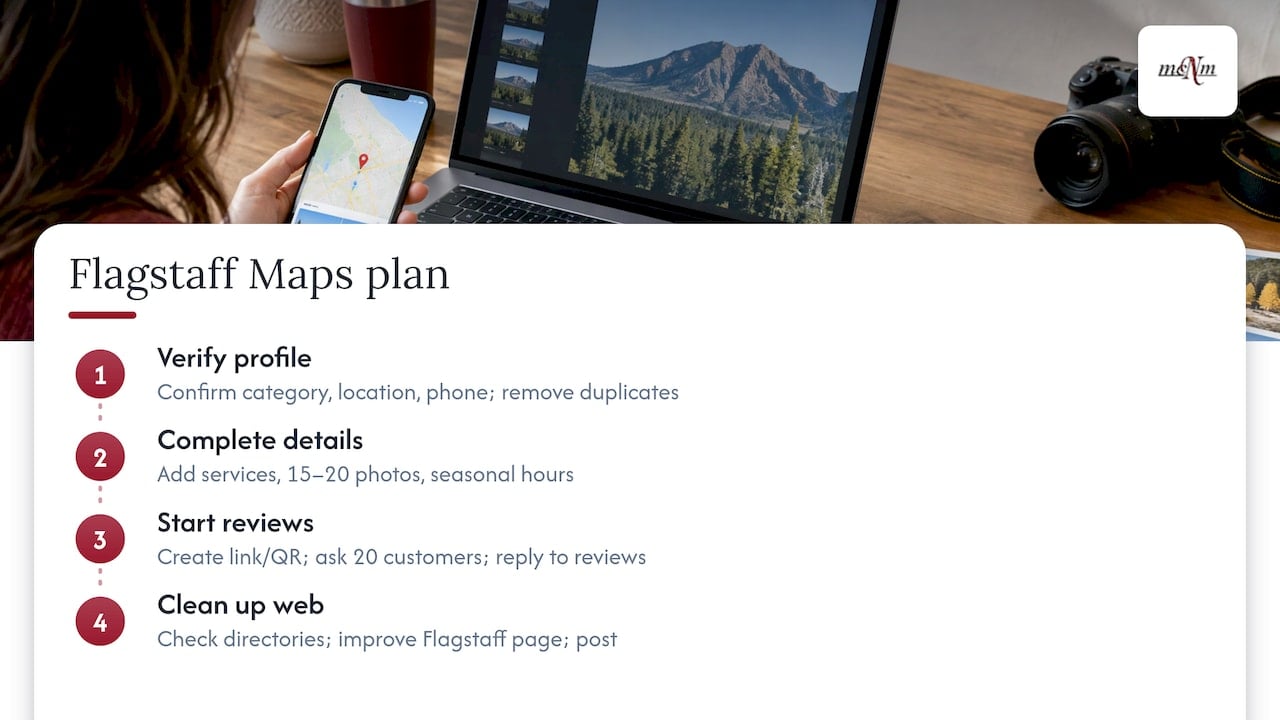
Week 1: Fix the base. Verify your profile. Confirm the primary category, address or service area, phone and website. Remove duplicates.
Week 2: Complete the details. Add every service with a description. Upload 15 to 20 real photos. Set holiday and seasonal hours.
Week 3: Start reviews. Create your review link and QR code. Ask your last 20 happy customers. Reply to every existing review.
Week 4: Clean up the web. Check your name, address and phone across directories. Add or improve your Flagstaff page on your website. Write your first profile post.
Then repeat a short routine each week: one new photo, replies to new reviews, one post.
Common mistakes in Flagstaff
- Using a mailbox address. A P.O. box or remote mailbox is not acceptable to Google.
- Listing a city you do not serve. Stay within a realistic drive.
- Stuffing keywords into the business name. It risks a suspension.
- Stale hours. Visitors arrive, find you closed, and leave a bad review.
- Buying or trading for reviews. It breaks Google’s rules.
- Ignoring the off-season. Keep your profile active in slow months so you are ready when demand returns.
Where MCNM can help
Most Flagstaff owners can do the basics above. The hard part is doing them every week while running a business. That is where we step in.
Our Google Business Profile Sprint is a one-off $997 project. If you want ongoing work, Local SEO Starter is $997 per month. Both are listed with every other price on our pricing page. We serve businesses across Northern Arizona, and you can see how on our Northern Arizona agency page.

Every engagement starts with a free marketing audit, so you know where you stand before you spend anything.
If you also run in Las Vegas, the same principles apply, with a different competitive picture. See our Las Vegas Google Maps playbook.
Our view on Maps in Northern Arizona
We build local search plans around calls, bookings and revenue, not vanity numbers. In Flagstaff, that means designing for the visitor who searches once, from a phone, and chooses in seconds.
Your profile is your storefront on that screen. Accurate hours, clear services, real photos and fresh reviews do more than any trick. We back every plan with Search Console and call data, so you can see what is working.
Seasonal businesses win by staying active when others go quiet. A steady routine of reviews, photos and posts through the slow months keeps you ahead when the crowds return. That routine is exactly what we take off your plate.
Michael O. Franklin Jr.
FAQ
How long does it take to rank higher on Google Maps in Flagstaff?
It depends on your starting point and your competition. Profile fixes like categories and hours can matter quickly, while reviews and links build over months. Track your Performance report monthly and compare to the same month last year, since Flagstaff demand is seasonal.
Can I rank in Flagstaff if I work from home?
Yes, if you serve customers in person, such as at their homes. Set up as a service-area business and hide your home address. Google’s playbook allows up to 20 service areas within about two hours of driving from your base.
Do I need a separate profile for Sedona or Prescott?
No, not unless you have a real staffed location there. Google allows one profile per business. List Sedona or Prescott as service areas only if you travel there for customers.
Do reviews really affect Maps ranking?
Yes. Google names prominence as one of three main factors, and says it includes review count and score. Ask every happy customer, reply to every review, and never offer rewards in exchange for them.
Sources
- Tips to improve your local ranking on Google
- Guidelines for representing your business on Google
- Overview of Google Business Profile policies
- GBP Best Practices Playbook 2026 for services
- Tips to get more reviews
- How to set special hours
- Understand your Business Profile performance
- Search Engine Land: Google Business Profile Playbooks
- Search Engine Land: What Is the Google Local Pack?
- Search Engine Land: How to follow Google Business Profile guidelines
- AZFamily: Why more than 5 million people visit Flagstaff every year
- Reputation.com: Google rewards openness in local search
Leave a Reply