

A website ADA compliance checklist covers a short list of basics: text alternatives for images, captions on video, labeled forms, keyboard access, readable contrast, clear headings and a layout that works when zoomed. No federal rule gives private businesses one exact technical test, but the Department of Justice (DOJ) points to WCAG as helpful guidance, so most owners aim for WCAG 2.1 or 2.2 Level AA.
This guide is for service business owners in Las Vegas, Henderson, Southern California and Northern Arizona. You can work through it in an afternoon, then hand the fixes to whoever manages your site.
TL;DR
- The ADA does not list technical web rules for private businesses, but the DOJ says inaccessible sites can keep people with disabilities from using your services.
- Use WCAG 2.2 Level AA as your working target. It is the current version, and many organizations aim for Level AA.
- Check images, video, forms, keyboard use, color contrast, headings and zoom.
- Run an automated checker, then test by hand. Automated tools find only part of the problems.
- Fix anything that blocks a call, booking, purchase or form first.
Table of Contents
- What ADA compliance means for a business website
- Does the law require WCAG?
- The website ADA compliance checklist
- How to test your site (and what tools miss)
- Prioritize the fixes that protect revenue
- Legal risk when a website is inaccessible
- Our perspective on accessibility and growth
- Where MCNM can help
- Common mistakes to avoid
- Your next step
- FAQ
- Sources
What ADA compliance means for a business website
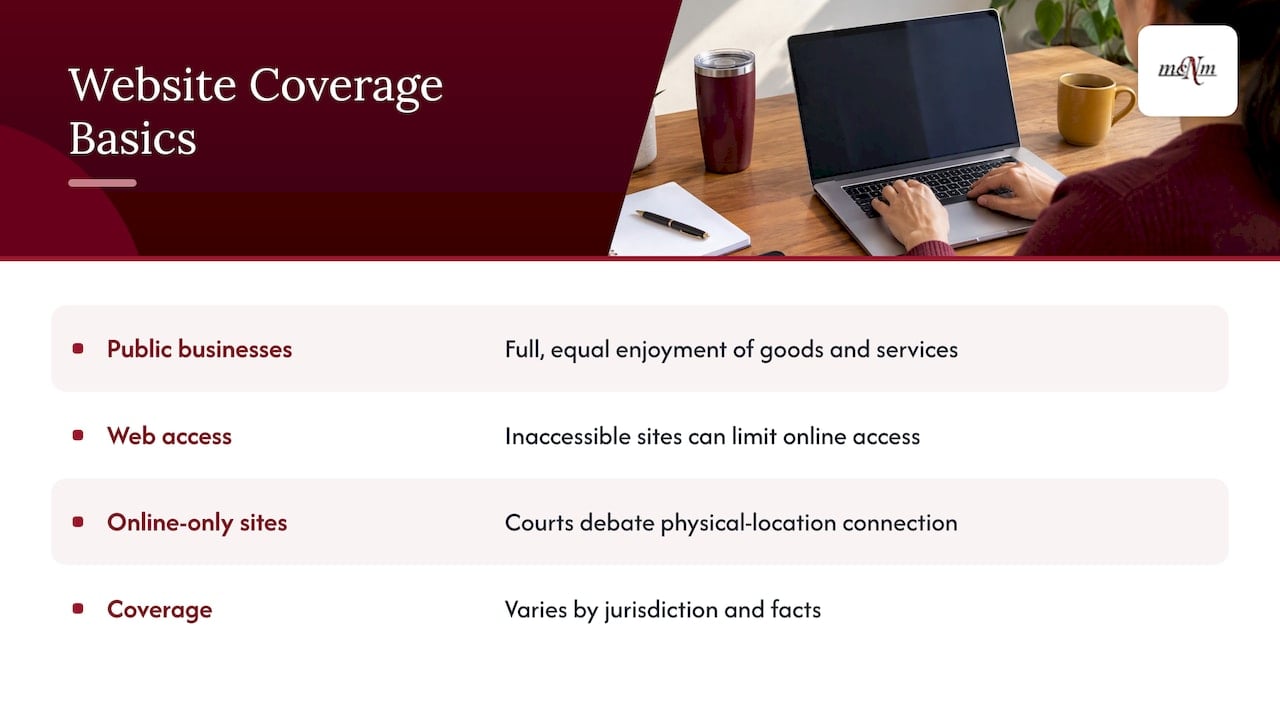
Title III of the ADA says businesses open to the public must give people with disabilities full and equal enjoyment of their goods, services and privileges. It also covers communication aids when needed. The DOJ’s web accessibility guidance says an inaccessible website can limit access to what a business offers online.
The DOJ lists examples of covered businesses. They include retail stores, banks, hotels, medical offices, and food and drink places. That covers a lot of the companies we work with: restaurants on the Strip, dental offices in Henderson, hotels in Sedona and shops in downtown Flagstaff.
What about a business that exists only online? The American Bar Association notes that courts still debate whether a website needs a connection to a physical location to be covered. Coverage can vary by jurisdiction and facts. So don’t assume one nationwide rule protects you. If you serve the public, treat your site as part of your storefront.
Does the law require WCAG?
Not by name. The Congressional Research Service says the ADA and its regulations do not mention websites, and no generally binding rule defines private-business website accessibility under Title III. The DOJ says it has no regulation with detailed web standards. Businesses can choose how to meet the ADA’s general requirements.
WCAG, the Web Content Accessibility Guidelines, fills that gap in practice. It is a private technical standard, not a binding Title III rule. Still, it is the yardstick most people use. The ABA reports that WCAG 2.2 is the current version and that many organizations target Level AA, while some still use WCAG 2.1 AA.
Two rules you may hear about do not apply to most of our readers:
- DOJ’s 2024 web rule. It covers ADA Title II entities, meaning state and local governments. Section508.gov says its compliance deadlines were extended by one year in 2026.
- Section 508. It generally applies to federal agencies, not ordinary business websites, though other laws may apply.
This article is general information, not legal advice. If you have received a demand letter or lawsuit, call an attorney who handles ADA cases in your state.
The website ADA compliance checklist
The DOJ’s guidance names the core items to consider: text alternatives, captions, form labels, keyboard access, clear instructions and errors, contrast, text cues for color, zoom and real headings. We have grouped them below so you can check one area at a time.
Images and media
- Add alt text to every meaningful image. Describe what the image shows and why it matters. A photo of your Las Vegas crew in front of a van might read “Two MCNM-style service techs unloading equipment from a branded van.” Use your own real description.
- Leave decorative images empty. Spacers and background flourishes should have blank alt text so screen readers skip them.
- Caption your videos. Anyone who is deaf or hard of hearing needs captions to follow a spoken video.
- Describe images that carry text. If a coupon or price list is a picture, put the same words in real text on the page.
Text, color and contrast
- Use enough contrast between text and background. Light gray on white is the most common failure we see on small business sites.
- Never use color alone to carry meaning. If required fields are red, also add the word “required.”
- Use real text for key information such as hours, phone numbers and service areas.
- Make link text clear. “Book a free estimate” works. “Click here” does not.
Keyboard and navigation
- Use your site with only the Tab, Shift+Tab, Enter and Space keys. You should reach every link, button, menu and form.
- Keep a visible focus outline so keyboard users can see where they are.
- Avoid keyboard traps. A pop-up, chat window or booking widget should open and close without a mouse.
- Check menus and sliders. Dropdowns that open only on hover are a frequent blocker.
Forms
- Label every field with text that stays visible. Placeholder text that disappears is not a label.
- Give clear instructions for formats such as phone numbers and dates.
- Write helpful error messages. Say what went wrong and how to fix it, near the field.
- Test your contact and booking forms first. They are where you make money.
Structure, zoom and mobile
- Build headings into the layout. Use real H1, H2 and H3 headings in order, not bold text that only looks like a heading.
- Zoom the page. The DOJ suggests checking that the page still works when the browser is zoomed. UNC’s testing guide goes up to 400 percent zoom.
- Check on a phone. Buttons should be big enough to tap and nothing should scroll sideways.
- Review PDFs and downloads. Menus, price sheets and forms should be readable text, not scanned images.
Quick reference table
| Area | What to check | Typical fix |
|---|---|---|
| Images | Alt text on meaningful images | Edit in the WordPress media library |
| Video | Captions | Upload a caption file or use platform captions |
| Color | Contrast and color-only cues | Darken text, add words or icons |
| Keyboard | Tab through every control | Developer fix to menus and pop-ups |
| Forms | Labels, instructions, errors | Update form plugin settings |
| Headings | Logical order | Reset heading levels in the editor |
| Zoom | Layout at high zoom | Theme or CSS fix |
How to test your site (and what tools miss)
Pair an automated checker with a manual check. The DOJ warns that a clean automated report does not guarantee the site is accessible, and a report full of errors does not always mean real barriers exist.
How big is the gap? UNC’s Digital Accessibility Office says automated tools detect only about 30 percent of potential barriers. They can miss context problems such as link purpose, heading structure and whether an image makes sense.
Here is a simple testing routine:
- Run an automated scan on your home page, top service pages, contact page and checkout or booking page.
- Tab through each page with your keyboard only.
- Try a screen reader. UNC suggests NVDA on Windows or VoiceOver on Mac. Listen to your home page and a form.
- Review contrast and media by eye. Watch each video with the sound off.
- Zoom the page and look for cut-off text or hidden buttons.
Keep notes as you go. For each problem, write down the page, what happens, who it affects and the fix you want.
Prioritize the fixes that protect revenue
You may find 40 problems. Do not try to fix all of them at once. Start with anything that stops a customer from reaching you or paying you.
Picture a Henderson plumbing company. Its “Request service” form has no labels, and its phone number is part of an image. A customer using a screen reader cannot book, and cannot call. Those two items go to the top of the list. A slightly low-contrast footer link can wait. (This is a made-up example, not a client result.)
A sensible order:
- Blockers: forms, phone and email links, booking tools, checkout.
- Major barriers: keyboard traps, missing alt text on key images, uncaptioned video.
- Polish: minor contrast issues, heading cleanup on older blog posts.
Then make accessibility part of normal work. Ask whoever builds pages or posts blogs to follow the checklist each time. Assign one person to own it. Re-test after redesigns, plugin changes and new features.
Legal risk when a website is inaccessible
The ABA describes the usual path: a demand letter, then possibly a Title III lawsuit seeking an injunction. State-law claims may allow damages, and settlements may require accessibility changes plus attorney fees and damages.
If you operate in California, ask your attorney how state law applies to you. Nevada and Arizona owners should do the same. A written record that you tested your site, listed problems and fixed them in priority order is a sensible thing to keep on file.
A business also loses customers long before any letter arrives. If someone cannot fill out your form, they call the next company on the map.
Our perspective on accessibility and growth
We build and market websites for service businesses, and we judge every site by calls, booked jobs and revenue. Accessibility fits that goal. A site that more people can read, tap and submit is a site that can turn more searches into customers.
Our approach is Google-first and conversion-first. We design fast, mobile-first WordPress sites, and we look at the same things an accessibility checklist looks at: clear headings, readable text, labeled forms and simple navigation. These habits help real visitors and help search engines understand your pages.
Our advice is to treat the checklist as a maintenance habit, not a one-time project. Sites change every month. New plugins, new pages and new photos can add new barriers. Keeping WordPress updated and reviewing your key pages regularly keeps small problems from piling up.
Michael O. Franklin Jr.
Where MCNM can help
If your site is slow, dated or hard to use on a phone, a rebuild may be easier than patching it. We design WordPress sites for service businesses across Southern Nevada, Southern California and Northern Arizona. See our website design and build services for what is included.

Once your site is live, our WordPress Website Care Plan covers ongoing maintenance for $197 per month. You can also see all published prices on our pricing page. If you want to know how your site shows up in Google, run the free Local SEO Checkup.
Common mistakes to avoid
- Relying on an overlay widget alone. A script that adds a toolbar does not replace fixing the underlying page. Fix the page itself.
- Trusting a green score. A clean automated report can still hide barriers, as the DOJ guidance warns.
- Forgetting third-party tools. Chat boxes, booking calendars and review widgets are part of your site. Test them.
- Skipping PDFs. Menus and price sheets are often image scans.
- Fixing once and walking away. New content brings new problems.
Your next step
Pick your five most important pages and test them this week. Fix the form and phone link problems first. If you want a second set of eyes on how your site performs, ask for a free marketing audit at mcnmmarketing.com or call (702) 608-4226.
FAQ
Is my small business website required to be ADA compliant?
The ADA’s Title III covers businesses open to the public, and the DOJ says inaccessible websites can limit access to goods and services. No regulation sets exact web rules for private businesses, and online-only coverage is still debated in courts. The safest path is to make your site accessible and talk to an attorney about your situation.
Which standard should I follow, WCAG 2.1 or 2.2?
WCAG 2.2 is the current version, and the ABA reports that many organizations aim for Level AA while some still use 2.1 AA. Pick 2.2 AA as your target if you are starting now. It gives you a clear, widely used benchmark.
Can a free scanner tell me if my site is compliant?
No. A scanner is a good start, but UNC says automated tools find only about 30 percent of potential barriers. Add keyboard, screen reader, contrast and zoom checks by hand to see the full picture.
Does the DOJ’s 2024 web rule apply to my business?
No, unless you are a state or local government entity. That rule applies to ADA Title II, and its deadlines were extended by one year in 2026. Private businesses fall under Title III, which has no detailed technical web rule.
Sources
- Guidance on Web Accessibility and the ADA, ADA.gov
- Digital Accessibility Under Title III of the ADA, American Bar Association
- The Americans with Disabilities Act (ADA) and Public Accommodations, Congressional Research Service
- Do Section 508 Accessibility Standards Apply to My Website?, Section508.gov
- How to Assess, UNC Digital Accessibility Office
Leave a Reply