

Google Ads work for contractors when you show up for the job someone is searching for right now, in the area you serve, and send the click to a page that gets the call. The part that decides profit is tracking: count booked jobs and revenue, not just clicks.
This guide is for roofers, HVAC and plumbing pros, electricians, remodelers, landscapers and other trades in Las Vegas, Henderson, Southern California and Northern Arizona. It covers the two main ad types, how to set up a campaign, how to set a budget, what your landing page needs and how to see which ads bring paying jobs.
TL;DR
- Search ads put you in front of people who typed a service they want. Local Services Ads charge per lead and carry a Google verified badge.
- Build campaigns around one service and one service area. Set up conversion tracking before you spend a dollar.
- Send each ad to a page built for that job, with a tap-to-call number first for emergencies and a short estimate form for planned projects.
- Judge results by calls, booked jobs and revenue, not clicks.
- Our Google Ads management is $1,497 per month flat, plus your ad spend, and every engagement starts with a free marketing audit.
Table of Contents
- Do Google Ads work for contractors?
- Two ways to advertise: search ads and Local Services Ads
- How to set up Google Ads for contractors, step by step
- Google Ads for contractors in Las Vegas and the Southwest
- How much should a contractor spend on Google Ads?
- What your landing page needs
- Do not lose paid calls
- Track booked jobs, not just leads
- A 15-minute weekly routine
- Common mistakes contractors make
- Our view: what we do differently
- Get a free look at your ads
- FAQ
- Sources
Do Google Ads work for contractors?
Yes, because of intent. Someone who types “water heater repair Henderson” or “roof leak repair Las Vegas” has a problem and a phone in hand. Your ad can be the first thing they see, and the click costs you only when they act on it.
The goal for most contractors is a lead: a phone call, a form fill or a booked estimate. That makes Google Ads different from a brochure or a billboard. You can see what each dollar did.
They do not work on autopilot. A campaign that targets broad terms, sends traffic to your home page and ignores missed calls will burn budget. The rest of this guide is how to avoid that.
Two ways to advertise: search ads and Local Services Ads
Contractors have two main paths on Google, and many run both.
Search ads appear when someone types a query that matches your keywords. You choose the keywords, write the ad, set the budget and pick the landing page. You pay per click. You have the most control here, including which services and neighborhoods you push.
Local Services Ads (LSAs) are different. Google describes them as pay-per-lead listings for verified local providers. They sit at the top of the results with a verified badge, and you pay when potential customers get in touch, not for clicks. Eligible home services include electricians, general contractors, HVAC, plumbers, roofers, painters, landscapers, handymen and tree services, among others.
Here is how they compare:
| Search ads | Local Services Ads | |
|---|---|---|
| You pay for | Clicks | Leads (customers who get in touch) |
| You control | Keywords, ad copy, landing page | Services, service area, budget, profile |
| Where they show | Search results, below or above LSAs | Top of results, with a verification badge |
| Best for | Specific high-value jobs, planned projects | Fast calls from nearby homeowners |
| Setup effort | Higher | Verification and profile details |
A simple plan: start LSAs for steady calls on your core trade, and use search ads to push the higher-margin jobs and the neighborhoods you most want. If you do not know where to start, our free marketing audit shows which one fits your trade and market.
How to set up Google Ads for contractors, step by step
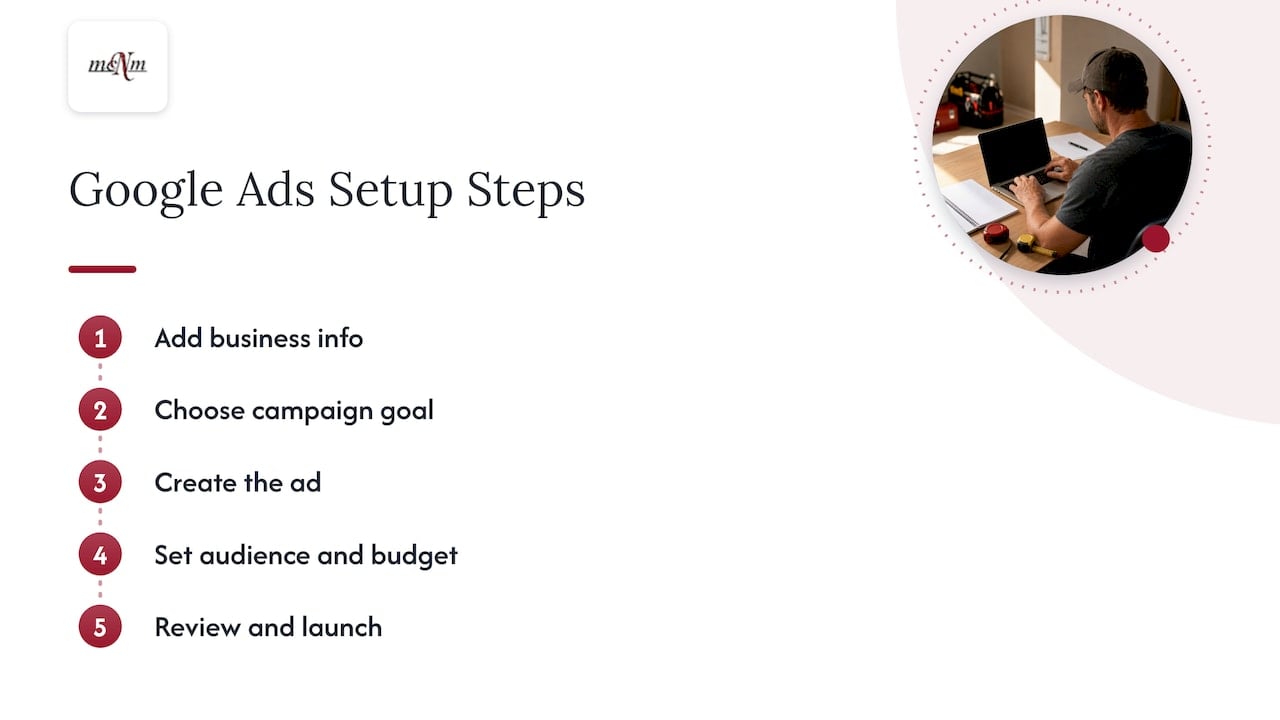
Google’s own guide to a first campaign has five steps: add your business info, choose a campaign goal, create the ad, set your audience and budget, then review and launch. Here is what each means for a contractor.
1. Pick one service per campaign
Do not build one campaign called “Plumbing.” Build one for water heater replacement, one for drain cleaning, one for emergency repair. Each gets its own budget, ads and landing page. That way you see which job earns and which one wastes money.
Most contractors should choose “phone calls” or “leads” as the goal. Skip “brand awareness.” You are paying for the phone to ring.
2. Choose keywords people use when they are ready to hire
Google suggests building your keyword list from your business categories and the phrases customers use, then checking volume in Keyword Planner. Its campaign guide walks through it.
For a contractor, the best keywords usually join a service, a need and a place:
- “AC repair Henderson NV”
- “roof replacement Las Vegas”
- “kitchen remodel San Diego”
- “tree removal Prescott AZ”
These cost more per click than broad terms like “home repair tips,” but they bring people who want to hire.
Also build a negative keyword list. Negative keywords tell Google not to show your ad for certain searches. Common ones for contractors include “jobs,” “salary,” “free,” “DIY,” “course” and “how to.” Add to the list each week from your search terms report, which shows what people actually typed before they clicked.
3. Write ads that match the search
Put the service and city in the headline. Add one reason to call: same-day service, free estimates, licensed and insured, if those are true for your company. Use only claims you can prove. Add your phone number as a call extension so mobile users can tap once.
Check your state’s contractor licensing rules for what must appear in advertising. In California and Nevada, licensing boards set those rules, so confirm them before your ads go live.
4. Target where your customers are
Google advises targeting locations where customers actually are, not only where your office sits. Its location targeting help also warns that very small radii or tiny locations can make ads show intermittently or not at all.
In practice, a Las Vegas HVAC company might target the whole valley, with separate bids for Henderson and North Las Vegas, because drive time and job value differ. An Inland Empire remodeler may prefer a few cities over a wide radius. A Flagstaff or Sedona contractor serving second homes and rentals should target the towns where those owners search, not just the Coconino County line.
For Local Services Ads and Performance Max pay-per-lead goals, Google says service areas are prefilled from your Google Business Profile, and your business categories and service types sync from it. A complete, accurate profile therefore helps your ads. Our Google Business Profile sprint is a $997 one-off project that handles that foundation.
5. Set up conversion tracking before launch
Google’s guide says to create a conversion action, copy the tag and paste it on your website. It also advises setting up tracking before going live if you optimize for online conversions. Do this first. Without it, Google cannot learn which clicks turn into leads, and you cannot either.
Then test it yourself: submit your own form and make a test call, and confirm each shows up as a conversion.
Google Ads for contractors in Las Vegas and the Southwest
Local conditions change how you run ads. A few patterns we plan around for Southwest trades:
- Las Vegas and Henderson: summer heat drives AC and pool equipment searches, and many are emergencies. Lead with tap-to-call and extended hours. Roofers see storm and monsoon-season spikes. See our roofing marketing plan for Las Vegas.
- Southern California: competition is heavy in Los Angeles, Orange County and San Diego, so narrow your campaigns by service and city and avoid wide bids on generic terms.
- Flagstaff, Sedona and Prescott: demand is seasonal and tied to weather and tourism. Increase budgets before peak seasons and pause or reduce in slow months, so you do not pay for clicks you cannot serve.
If you want local help, we manage Google Ads in Las Vegas and across Southern California and Northern Arizona.
How much should a contractor spend on Google Ads?
There is no single number. Cost per click and cost per lead vary by trade, city and season. A roofing lead costs more than a handyman lead because the job is worth more.
Google names three actions that make a budget work: measure results with conversion tracking, use Smart Bidding to automate bids, and refine targeting with audience and location settings. Follow them in that order.
A practical way to set your first budget:
- Start with your average job value and profit.
- Decide what you can pay to win one job. If a job earns you $2,000 in profit and you close one in three estimates, you can afford to pay well under $600 per estimate lead.
- Set a daily budget that can produce enough leads to learn from, and run it long enough for data to build up.
- Raise spend only on campaigns that bring booked jobs.
Your own close rate and job value matter more than any industry average. For a deeper look at fees and ad spend, read our guide to the cost of Google Ads for local businesses.
Our Google Ads Management plan is $1,497 per month flat, plus your ad spend. Our Full-Funnel Growth plan is $3,497 per month, plus ad spend, for contractors who want ads and the rest of the marketing system together.
What your landing page needs
A click is not a lead. The page decides whether the click turns into one.
Use a page for one service in one area. If your ad says “roof repair in Henderson,” the page headline should say the same. Then add:
- A tap-to-call number at the top, visible on a phone without scrolling
- One main button, such as “Get my free estimate”
- Your service area, by city
- Proof: reviews, license number, years in business, before-and-after photos of real jobs
- A real photo of your crew or work, not a stock image
Match the contact path to the job. For an emergency such as a burst pipe or a dead AC in July, lead with the call button and put the form second. For a planned project such as a kitchen remodel or a new roof, lead with a short estimate form and keep the phone as a backup. Ask for name, phone, address and what they need. Every extra field loses some people.
We build these pages as a high-converting landing page for $997 one-off.
Do not lose paid calls
You pay for every call that comes in, including the ones you miss. A contractor on a roof or under a sink cannot always answer. If the caller hits voicemail, they often dial the next company on the page.
There are two fixes: someone answers every time, or an automatic text goes out within seconds of a missed call. Our AI Voice Receptionist is $497 per month plus a $1,497 setup, and our AI Chat & Text Agent is $397 per month plus a $997 setup. Both are built to answer leads around the clock and hand off to a human. To see what missed calls cost your business, try our free Missed Call Calculator.
Track booked jobs, not just leads
Google Ads reports clicks and form fills well. It does not know which lead became a $9,000 job unless you tell it.
That is the gap between a campaign that looks fine and one that makes money. Two leads can cost the same, but one is a tire-kicker and the other signs a contract. The fix is offline conversion tracking: you pass the booked job and its revenue back to Google Ads, so the system learns which searches and campaigns bring paying customers.
With that data, you can:
- Cut keywords that bring calls but no jobs
- Raise bids where jobs close
- Compare search ads against Local Services Ads by cost per booked job
We explain the full method in our guide to Google Ads offline conversion tracking.
A 15-minute weekly routine
Once your campaigns run, keep them healthy with a short weekly check:
- Open the search terms report. Add irrelevant searches as negative keywords.
- Check your calls and forms. Did tracking record them all?
- Look at cost per lead and, if you track it, cost per booked job by campaign.
- Pause what spends without producing. Move that budget to what works.
- Review your missed calls and response time.
Change one thing at a time so you know what caused the result.
Common mistakes contractors make
- One campaign for everything. You cannot tell what works.
- Sending clicks to the home page. Visitors must hunt for the service they searched.
- Skipping tracking. You pay for results you cannot see.
- Broad targeting. Ads show to people outside your service area.
- Ignoring Local Services Ads. For many trades, they are a direct route to local calls.
- Slow follow-up. A lead that waits an hour is often gone.
Our view: what we do differently
We run Google Ads like an operator, not a vendor. Every plan we build starts with Search Console, call and conversion data, and we judge it by leads, calls and revenue. Clicks and impressions do not pay a crew.
We publish our prices because contractors deserve to know what they will pay before they talk to anyone. Google Ads management is a flat $1,497 per month, plus ad spend. We do not take a percentage of your budget.
Most wasted ad spend we see in service businesses comes from the same three gaps: loose campaign structure, no link between ads and booked jobs, and calls nobody answers. We close all three: tight campaigns by service and city, tracking that connects leads to revenue, and AI agents that respond to every lead.
Start with the free audit. You will see where your money goes today and what to fix first.
Michael O. Franklin Jr.
Get a free look at your ads
If you run ads now, or plan to, our Google Ads management is $1,497 per month flat, plus ad spend. The Deep-Dive SEO & Marketing Audit is $497 one-off, and every engagement starts with a free marketing audit.

Prefer to talk first? Call (702) 608-4226. We are at 5450 W Sahara Ave Ste 320, Las Vegas, NV 89146. You can also see all plans on our pricing page.
FAQ
Are Local Services Ads better than regular Google Ads for contractors?
Neither is better for every trade. Local Services Ads charge when a potential customer gets in touch and appear at the top with a verification badge. Search ads give you more control over keywords and landing pages. Many contractors run both and compare cost per booked job.
How long before Google Ads bring leads?
Ads can show the day they are approved, so calls can start quickly. The campaign usually improves over the following weeks as tracking data builds and you remove wasted searches. Give it enough time and data before you judge it.
Do I need a website to run Google Ads?
For search ads, yes: you need a page to send clicks to, and a dedicated landing page works best. Local Services Ads rely mainly on your verified profile. A fast, mobile-friendly site helps both. We build WordPress websites and landing pages for contractors.
What should I track?
Track phone calls, form submissions and, most important, booked jobs and revenue. Set up conversion tracking before launch, as Google advises. Then connect closed jobs back to the ad that brought them.
Sources
- How To Set Up Your First Google Ads Campaign, Google Ads
- Reach Local Customers with Local Services Ads, Google Ads
- Set up your campaign for success, Google Ads Help
- Target ads to geographic locations, Google Ads Help
- About targeting for pay-per-lead goals for Performance Max, Google Ads Help
Recommended
- Google Ads Offline Conversion Tracking: Leads to Revenue
- Cost of Google Ads: What Local Businesses Really Pay in 2026
- Google Ads Management Plan | $1,497/mo Flat Fee
- Call Tracking for Small Business: A Practical Guide
Leave a Reply