An AI chatbot for business is software that reads a customer’s question, understands what they mean, and answers in plain language, day or night. For a local service company, it works best when it answers common questions, captures the lead, books the job, and hands anything tricky to a person.
This guide is for owners of service businesses in Las Vegas, Henderson, Southern California and Northern Arizona. You will learn what these tools do, where they fail, what they cost, and how to roll one out without hurting your reputation.
TL;DR
- An AI chatbot understands intent, so it handles typos and odd phrasing that break old rule-based bots.
- The best jobs for a small business are answering routine questions, capturing contact details and booking appointments.
- Train it only on your approved content, and give it a clear path to a real person.
- Start with one or two tasks, then review its answers every week.
- MCNM’s AI Chat & Text Agent costs $397 per month plus a $997 setup fee.
Table of Contents
- What an AI chatbot for business actually is
- What a chatbot can do for a small business
- Where chatbots fail, and how to prevent it
- Disclosure and the law in Nevada, California and Arizona
- How much does an AI chatbot for business cost?
- How to choose the right AI chatbot
- AI chatbot for business in Las Vegas and the Southwest
- Our perspective: treat the bot like a new hire
- Your first 30 days with a business chatbot
- Common mistakes to avoid
- Work with MCNM on your AI chatbot
- FAQ
- Sources
What an AI chatbot for business actually is
An AI chatbot uses language models to work out what a visitor wants and reply in a natural way. It does not just match keywords. You type “do u fix leeky pipes sat?” and it still understands you.
That is the big change from the older bots. A rule-based bot follows a fixed menu: press 1 for hours, press 2 for pricing. Step outside the script and it breaks. Intercom explains that rule-based bots follow rigid if-then flows with limited flexibility, while AI chatbots use machine learning and natural language processing to grasp intent and context.
AI chatbot vs. rule-based bot vs. live chat
Three tools often get mixed up. Here is how they differ.
| Tool | Who answers | Best for | Weak spot |
|---|---|---|---|
| Rule-based bot | A fixed script | Simple menus, one-step questions | Fails on anything unexpected |
| AI chatbot | Software that reads intent | Routine questions, lead capture, booking | Needs good source content and oversight |
| Live chat | A human, in real time | Complex, sensitive or high-value talks | Only works when someone is online |
Zendesk describes chatbots as automated self-service, with AI bots handling routine inquiries while live agents focus on complex issues. That split is the right way to think about it. The bot does not replace your team. It covers the hours and the repeat questions your team cannot.
A chatbot also differs from an AI voice agent. A chatbot lives on your website and in text messages. A voice agent answers the phone. Many service businesses need both, because customers call as often as they click.
What a chatbot can do for a small business
The U.S. Chamber of Commerce says a small business chatbot can answer customer questions, identify sales leads, automate engagement responses and provide 24/7 service. For a plumber, roofer, med spa or dental office, that translates into five practical jobs.
- Answer routine questions. Hours, service areas, pricing ranges, what to expect at a first visit.
- Capture the lead. Name, phone, email, address and the problem, saved straight to your CRM.
- Book appointments. Offer open slots and confirm them by text.
- Qualify the request. Is this an emergency? Is it inside your service area? Is it a job you take?
- Hand off to a person. Pass the full chat, so the customer never repeats themselves.
Think of two HVAC companies in Henderson on a 112-degree night. One website goes quiet after 5 p.m. The other answers at 10 p.m., confirms the address is in the service area, and books a morning visit. The homeowner usually picks whoever replies first. The difference is speed, not skill.
Where chatbots fail, and how to prevent it
Be honest about the downsides before you buy. The same Chamber article warns that customers may grow frustrated if a chatbot cannot help. Here are the real risks and the fix for each.
- Wrong answers. A bot that guesses will quote the wrong price or promise a service you do not offer. Fix it by training the bot only on content you approve, and telling it to say “I’m not sure, let me get someone” instead of guessing.
- Dead ends. A customer with an angry complaint should reach a human fast. Build a clear handoff for refunds, safety issues, complaints and anything legal.
- Stale information. If your hours or prices change and the bot is not updated, it keeps giving the old answer. Keep one master document and update it in one place.
- Privacy. Do not collect more than you need. Never let the bot take card numbers or health details in chat.
- Hidden bot. Customers should know they are talking to software. More on that below.
Set up the handoff rules first
Write down four buckets before you launch: questions the bot answers alone, questions where it asks a clarifying question, requests it passes to a person, and requests it declines. A good handoff stops the bot from answering, keeps the whole conversation, names who will respond, and tells the customer when to expect a reply.
Here is a sample handoff message:
“I want to make sure you get the right answer. I’ve sent this chat to Maria on our team. She will text you within 30 minutes during business hours.”
That one message turns a possible lost customer into a reassured one.
Disclosure and the law in Nevada, California and Arizona
Tell people they are talking to a bot. It builds trust, and in some places it protects you. California’s bot law makes it unlawful to use a bot to mislead someone about its identity to encourage a sale, unless you give a disclosure that is clear, conspicuous and reasonably designed to inform people it is a bot.
The simplest habit is also the safest: open every chat with a line like “Hi, I’m the virtual assistant for Desert Ridge Plumbing. I can answer questions and book you in, or connect you with our team.” Voice and text rules differ from website chat. If your bot will call or text customers, read our guide on whether AI voice agents are legal in Nevada, California and Arizona before launch. Laws change, so ask your attorney about your specific setup.
How much does an AI chatbot for business cost?
Prices vary widely by tool and by how much work you want done for you. You will usually see three kinds of cost.
- A monthly subscription. Often tied to the number of conversations or contacts.
- Setup. Writing the knowledge base, connecting your calendar and CRM, and testing.
- Your time. Someone on your team must review chats and update answers.
Many do-it-yourself tools look cheap, then add fees for extra conversations or for integrations with your CRM. Read the pricing page for those limits before you commit.
MCNM publishes every price. Here is what our AI agents cost, per our current price list:
| Plan | Monthly price | Setup fee |
|---|---|---|
| AI Chat & Text Agent | $397 per month | $997 |
| AI Voice Receptionist | $497 per month | $1,497 |
| AI Agent Suite | $1,297 per month | $1,997 |
If you also want leads tracked and followed up, our MCNM Growth CRM is $297 per month plus a $497 setup fee. See every plan on the MCNM pricing page.
A simple way to judge the return
Do not guess. Count how many calls and web inquiries you miss each week, multiply by your average job value, and compare that to the monthly fee. Our free Missed Call Calculator does the math with your own numbers. If one extra booked job per month covers the plan, the decision is easy. If it does not, start smaller.
How to choose the right AI chatbot
Microsoft’s guidance for small businesses is to choose a tool that supports the tasks you do, works with the apps you already use, and has built-in privacy safeguards. Use that as a base, then add the questions a local service owner needs answered.
- Define the outcome first. A Gartner analyst advises leaders to agree on desired outcomes before going to vendors, rather than just buying features. Write one sentence: “We want after-hours leads booked within five minutes.”
- Check the connections. Does it work with your calendar, CRM, Google Business Profile messages and phone system?
- Ask who writes the answers. A bot is only as good as its source content. Who builds it, and who updates it?
- Test the handoff. Ask it something hard. Does it pass you to a person with the full chat?
- Look for text follow-up. Many leads never finish a web chat. A bot that can also text them back saves jobs.
- Read the fine print. Look at conversation limits, overage fees, contract length and who owns your data.
AI chatbot for business in Las Vegas and the Southwest
Local conditions shape what your bot should know. A few examples:
- Las Vegas and Henderson. Home services, pool care, HVAC and cleaning companies get calls at odd hours, and shift workers book late at night. A bot that answers at 11 p.m. wins those jobs.
- Southern California. Service areas overlap across Los Angeles, Orange County, San Diego and the Inland Empire. The bot must know which cities you serve and say so clearly. Visitors in a different county should hear “we don’t cover that area” at once.
- Flagstaff, Sedona and Prescott. Tourism and seasonal businesses see huge swings. Your bot can answer “are you open on holiday weekends?” and “do you book tours for winter?” without staff on every shift.
Teach the bot your real service areas, your real hours and your real seasonal changes. That local detail is what makes it feel like your front desk rather than a generic widget. If you want help, see our AI marketing agency in Las Vegas page.
Our perspective: treat the bot like a new hire
We run marketing like an operator, and we judge every tool by leads, calls and revenue. Here is how we think about chatbots after building websites since 2004 and running a Las Vegas agency since 2016.
First, a chatbot is not a magic sales rep. It is a front-desk helper. It earns its fee by answering fast, and by never losing a lead. It should not argue, improvise or promise things.
Second, start narrow. Pick the five questions your customers ask most. Pick one booking flow. Launch that, then grow. Most failed bots we see tried to do everything on day one.
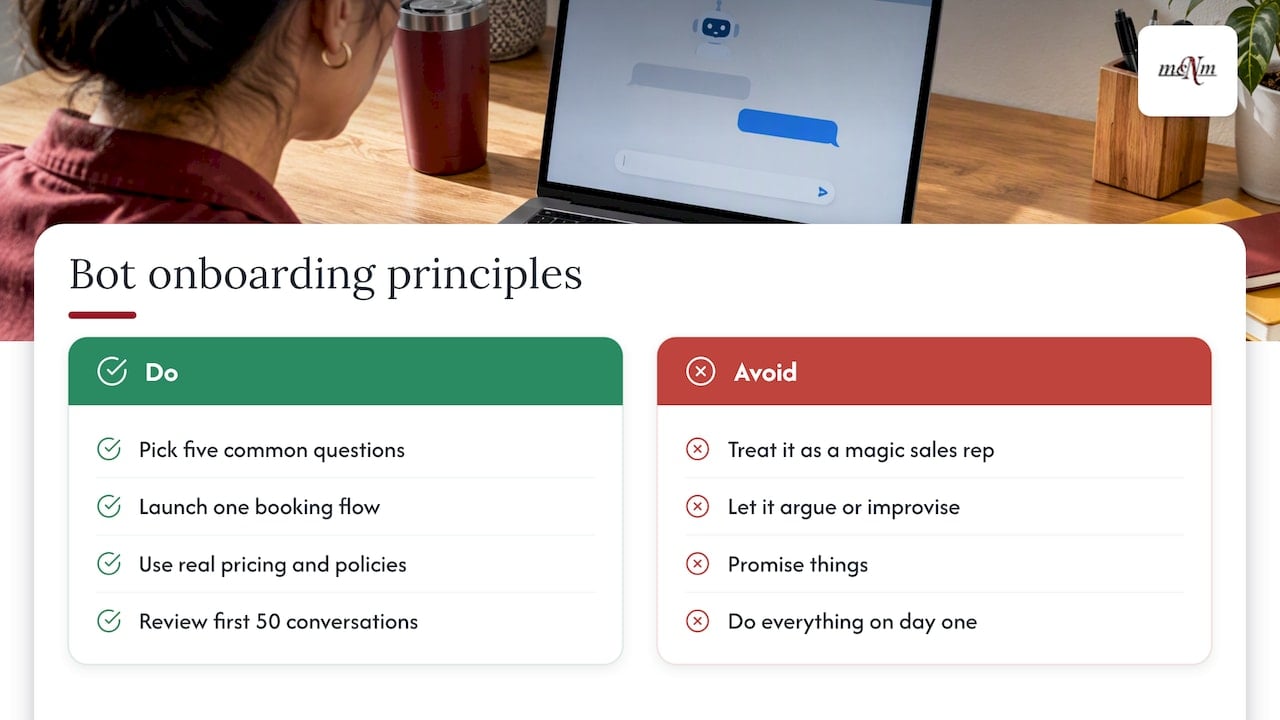
Third, give it the same onboarding you would give a new employee. Hand it your real pricing ranges, service areas and policies. Read its first 50 conversations yourself. Fix what it gets wrong. The BBB gives the same advice in its business tip on getting started with AI: begin with one or two tasks, test in a low-risk setting, and review the outputs regularly.
Finally, pair the bot with a person. The goal is not fewer humans. It is that your humans spend their day on the customers who need them, while the bot handles the 10 p.m. “what’s your price for a drain cleaning?” message.
— Michael O. Franklin Jr.
Your first 30 days with a business chatbot
A steady rollout beats a big launch. Follow this plan.
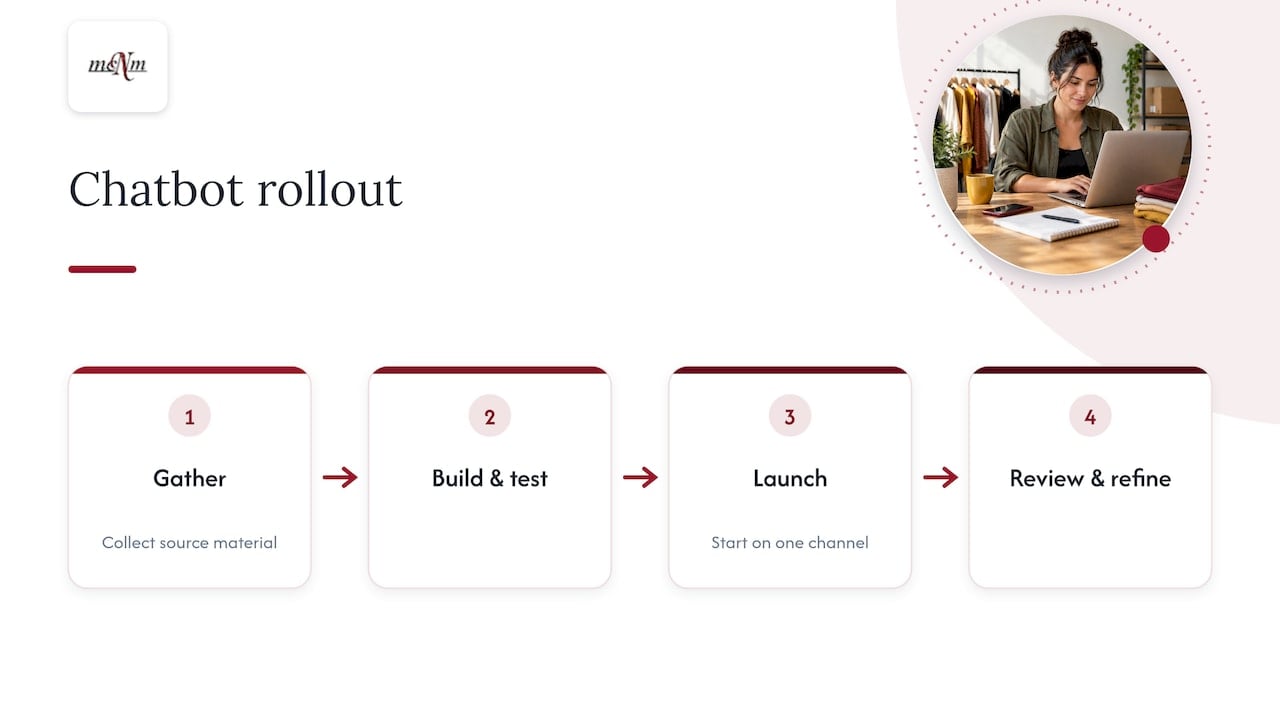
Week 1: Gather your source material
Pull your service list, price ranges, service areas, hours, warranty terms and the ten questions your team answers most. Put them in one document. This document is the bot’s only source of truth, so when something changes, you change it once.
Week 2: Build and test
Set up the bot with that document. Add the handoff rules and the “I’m a virtual assistant” greeting. Then test it like a customer. Ask misspelled questions, ask for things you do not offer, and ask it something angry.
Week 3: Go live on one channel
Launch on your website first, or on text follow-up for missed calls. Do not switch on every channel at once. Watch each chat.
Week 4: Review and refine
Read the transcripts. Mark wrong answers, missed questions and handoffs that came too late. Update the source document. Repeat weekly for the first couple of months, then every month.
Metrics to track
- Conversations started
- Leads captured (name plus phone or email)
- Appointments booked
- Handoffs to a person, and how fast your team replied
- Jobs won from chat leads
If you cannot tie the bot to booked jobs, change the setup. Do not just accept the vanity numbers.
Common mistakes to avoid
- Training the bot on everything. Feed it only approved content, not your whole messy website.
- Hiding the bot. Name it as a virtual assistant.
- No human path. Always offer “talk to a person.”
- Set and forget. Unreviewed bots drift out of date.
- Ignoring SEO. The chat widget does not replace a good website. People still find you through Google first, so check your visibility with our free Local SEO Checkup.
- Skipping the phone. If half your leads call, a chat bot alone leaves gaps. Consider a voice receptionist too.
Work with MCNM on your AI chatbot
We build and manage AI agents for service businesses, so you do not have to learn the tools. Our AI Chat & Text Agent answers website and text inquiries, captures leads and hands off to your team. It costs $397 per month plus a $997 setup fee. If you want phone coverage too, compare it with the full set of AI marketing agents.
Every engagement starts with a free marketing audit. We look at your Google presence, your missed leads and your follow-up, then tell you straight whether a chatbot is the right first step. Book your free marketing audit or call (702) 608-4226.
FAQ
Is an AI chatbot worth it for a small business?
It is worth it when you miss leads because nobody answers fast enough. Use the math: missed inquiries times your average job value, against the monthly fee. If you rarely get after-hours or repeat questions, a simpler setup may be enough.
Will an AI chatbot replace my staff?
No. It covers routine questions and after-hours messages. Your team still handles complex, sensitive and high-value conversations. The best setups send the full chat to a person at the right moment.
How long does it take to set up?
The tool can be connected in days. The slow part is writing clear answers. Plan time to collect your pricing ranges, service areas and policies, then test and refine over the first few weeks.
Do I have to tell customers it is a bot?
Yes, as a best practice, and in California the law requires a clear disclosure when a bot is used to mislead for a sale. Open the chat with a short line saying it is a virtual assistant. Ask your attorney about your exact setup.
What is the difference between a chatbot and an AI receptionist?
A chatbot handles website and text conversations. An AI receptionist answers phone calls by voice. Many service businesses use both so every lead gets a fast reply, whichever way it arrives.
Sources
- How Chatbots Can Help Grow Your Small Business, U.S. Chamber of Commerce
- Chatbot vs Conversational AI: Key Differences, Intercom
- Chatbots vs. conversational AI, Zendesk
- California Business and Professions Code 17941
- AI Virtual Assistants for Small Business, Microsoft 365
- How Madison Reed rolled out agentic AI, Customer Experience Dive
- BBB Business Tip: Getting started with AI in your business
Leave a Reply