
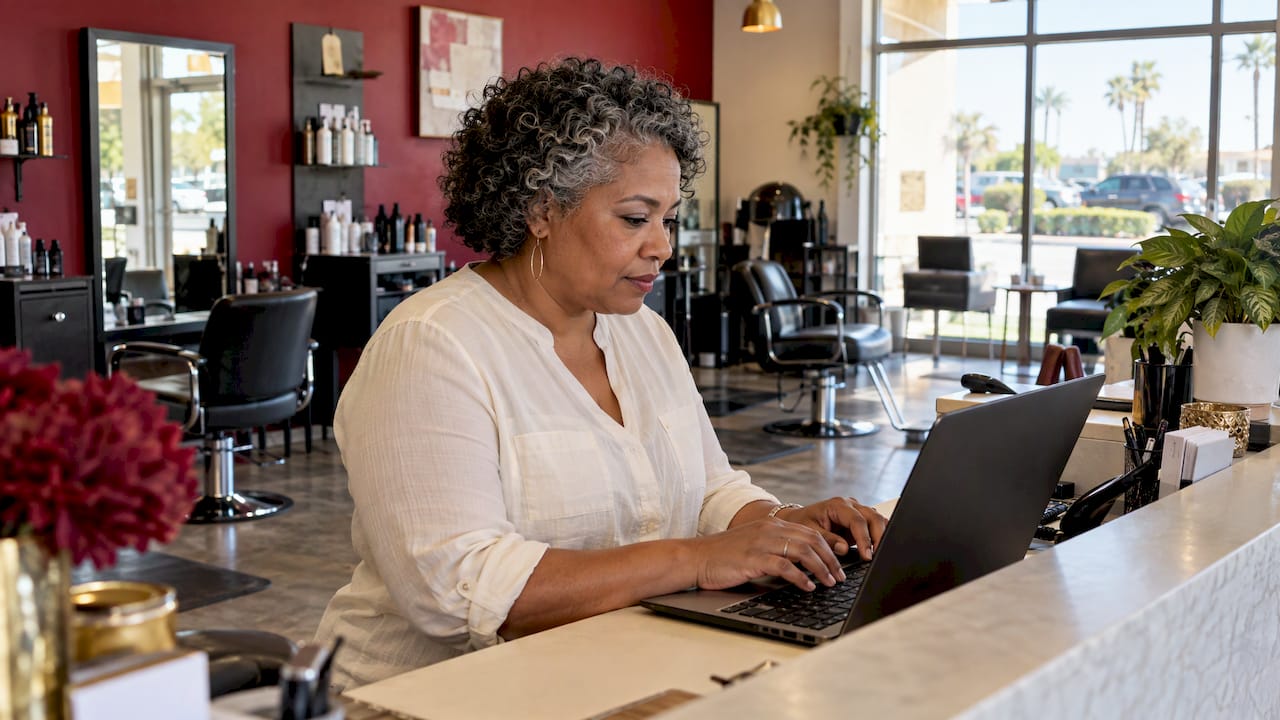
Email marketing for a small business means sending useful messages to people who agreed to hear from you, so they book, buy again or refer a friend. Start with a clean opt-in list, a short welcome series and one monthly message, then measure calls and bookings, not just opens.
It works because you own the list. Search rankings and social feeds change. Your email list does not. For a Henderson HVAC company, a Sedona tour operator or a San Diego dental office, email is the cheapest way to stay in front of people who already know you.
TL;DR
- Email marketing sends permission-based messages to past and future customers. The American Marketing Association cites a return of $36 for every dollar spent.
- Build your list at the points where customers already talk to you: checkout, invoices, your website and your front desk.
- Start with three emails: a welcome, a seasonal reminder and a review request. Add more once those run on their own.
- Follow CAN-SPAM: honest subject lines, a real mailing address and a working unsubscribe link.
- Judge success by calls, bookings and revenue. Opens are a weak signal.
Table of Contents
- What email marketing does for a local service business
- Email marketing for small business in Las Vegas: who it fits
- Step 1: Build a permission-based list
- Step 2: Pick a tool that fits how you work
- Step 3: Write emails people open and act on
- Step 4: Segment your list
- Step 5: Set up three automations first
- Step 6: Follow the rules
- Step 7: Measure what pays
- A simple monthly plan for a busy owner
- Why a local agency can speed this up
- Our view: email is the follow-up half of local marketing
- How MCNM can help
- Common mistakes to avoid
- FAQ
- Sources
What email marketing does for a local service business
Email marketing is the use of email to attract, engage and stay in touch with customers. The American Marketing Association lists welcome emails, newsletters, promotional and seasonal emails, cart reminders and re-engagement emails as the common formats. It also describes the channel as direct, personal and measurable.
For a service business, that translates into plain jobs:
- A plumber reminds past customers about water heater flushing before winter.
- A pool company in Las Vegas sends a spring opening checklist in March.
- A Flagstaff lodge tells past guests when ski season rates open.
- A Los Angeles landscaper offers a fall cleanup slot to last year’s customers.
Each message asks for one action. That is the whole craft.
About that $36 return: it is an industry average. Your result depends on your list, your offer and your follow-through. Treat it as a reason to start, not a promise.
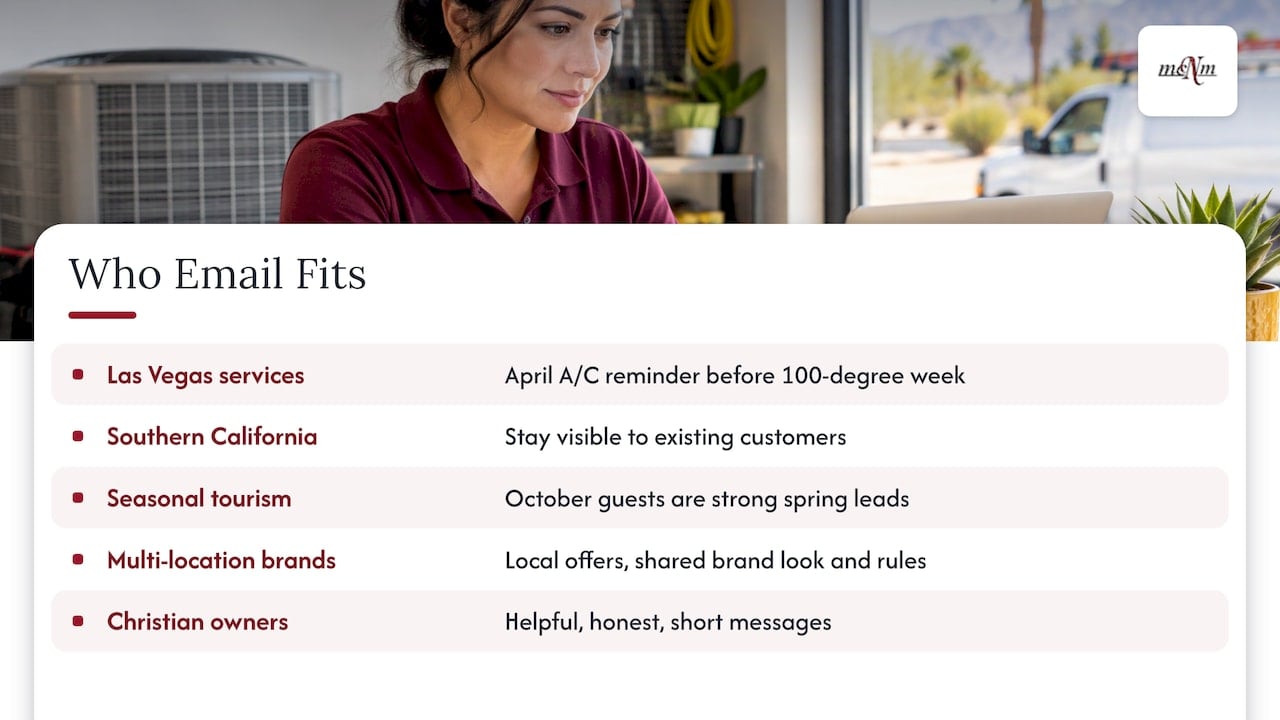
Email marketing for small business in Las Vegas: who it fits
Email suits any business with repeat customers or long buying cycles. That covers most of our readers.
Local service businesses in Las Vegas, Henderson and North Las Vegas. Think HVAC, roofing, cleaning, pest control and pool care. Summer heat makes timing easy: send an A/C tune-up reminder in April, before the first 100-degree week.
Small and mid-size businesses in Southern California. Competition is heavy in Los Angeles, Orange County and San Diego. A good email keeps your name in front of customers so they do not search for someone new next time.
Tourism and seasonal businesses in Flagstaff, Sedona and Prescott. Your slow season is predictable. A guest who visited in October is a strong lead for next spring. Email lets you reach them with a specific offer.
Multi-location brands and franchises. Each location can send its own local offers while the brand keeps the look and rules the same. That takes a plan for who owns the list and who approves messages.
Christian business owners. Email is a steady way to share your services and stay in touch with the people you already serve. Keep messages helpful, honest and short.
Step 1: Build a permission-based list
A permission-based list holds only people who chose to hear from you. This is the base of everything else.
The U.S. Chamber of Commerce suggests collecting addresses through checkout opt-ins, website forms and lead magnets. A lead magnet is a free item, like a checklist, that someone gets in return for an email address.
Here are places to ask in a local business:
- Your estimate or booking form. Add a checkbox: “Send me seasonal tips and offers.”
- Your invoice or receipt. Add a short sign-up link.
- Your website. Offer a simple checklist, such as “Spring A/C Checklist for Las Vegas Homes.”
- Your front desk or truck. Print a QR code on a card, a menu or a work order.
- Your Google Business Profile. Link to a page with a sign-up form.
Do not buy lists. People on a bought list never agreed to hear from you. They mark your mail as spam, and that hurts delivery for everyone else on your list.
Single or double opt-in
Single opt-in adds someone as soon as they submit the form. Double opt-in sends a confirmation email first. Double opt-in gives you a smaller but cleaner list. The Chamber notes that U.S. law does not require opt-in, but many email platforms ask for verified permission. Pick the setup that fits your volume and your platform’s rules.
Step 2: Pick a tool that fits how you work
You need software that stores contacts, sends messages, handles unsubscribes and shows results. Most small businesses choose one of two paths:
- A stand-alone email tool. It handles newsletters and simple automations.
- A CRM with email built in. A CRM (customer relationship manager) keeps each customer’s history in one place: calls, texts, form fills and emails. The email then reacts to what the customer did.
For a service business, the second path usually pays off. A customer who calls and never books should get a different follow-up than one who just finished a job. When the list lives in the same system as your calls and leads, you can send that message without extra work.
This is the work we do at MCNM. We set up marketing automation and CRM on GoHighLevel and HubSpot, including missed-call text-back. Our email marketing software page shows the tools we offer. If you want the CRM built for you, MCNM Growth CRM is $297 per month plus a $497 setup fee. A GoHighLevel Quick-Start Setup is $997 one-off, plus your HighLevel plan.
Whichever you choose, check three things first:
- Delivery. Can the platform authenticate your domain so your mail lands in the inbox?
- Segments. Can you split your list by city, service or last visit?
- Unsubscribe handling. Does it process opt-outs on its own?
Step 3: Write emails people open and act on
Short and specific beats clever. Use this simple pattern:
- Subject line: say what is inside. “Your A/C tune-up slot for April” works better than “Big news!”
- Opening line: name the problem or the season.
- One offer or one tip. Not five.
- One button or phone number. Make the next step obvious.
- Footer: your business name, mailing address and unsubscribe link.
Here is a sample for a Henderson cleaning company:
Subject: Your spring deep clean, booked in 2 minutes
Hi Maria, last spring we cleaned your Green Valley home. Want the same crew back? Reply to this email or call (702) 555-0100 to pick a day. Slots fill up fast in April.
The phone number above is a placeholder. Use your own.
Skip the old myths
Some email “rules” are out of date. A Flodesk study of more than 3 million emails, reported by MediaPost, found that emails following the popular 80/20 text-to-image rule opened 19% below average and drew 24% fewer clicks. The same report found that only seven of more than 70 supposed spam-trigger phrases hurt open rates, including “limited time,” “guaranteed” and “act now.” So the 80/20 rule is no reason to strip your emails of images. Write plainly, and skip the three phrases above.
Step 4: Segment your list
Segmenting means sending different messages to different groups. You do not need a complex setup. Three groups cover most local businesses:
- By location. A Las Vegas customer does not need a Flagstaff snow tip.
- By service. Roof customers and gutter customers want different reminders.
- By status. New leads, current customers and past customers need different words.
The payoff is real. The Flodesk data reported by MediaPost found segmented lists pulled 4 times the opens and 3 times the clicks of full-list blasts. The U.S. Chamber puts the lift from segmentation at 14.31% more opens. The sources use different samples, so treat both as proof of direction, not a guarantee.
The same MediaPost report found that cleaning your list helps too. Weekly list cleaning improved click rates by up to 41% and cut unsubscribes by up to 31%. Dropping contacts who never engage raised opens by 11% and clicks by 30%, and cut bounces by 40%.
Step 5: Set up three automations first
An automation is an email that sends itself when a customer does something. Build these three before anything else. The G2 automation guide gives timing ranges you can borrow.
1. The welcome series. Send it when someone joins your list. G2 suggests waiting 24 to 48 hours between welcome emails. A simple version:
- Email 1: thank them and say what to expect.
- Email 2: share your best tip or a short customer story.
- Email 3: make a clear offer, such as a first-visit discount or a free estimate.
2. The review request. Send it after a job is done. Ask for one thing: a Google review, with a direct link. Reviews feed your local search ranking, so this email does double duty.
3. The win-back message. Send it to customers who have been quiet for a long stretch. A friendly “Is it time for your next service?” brings many of them back. If they still do not respond after three or four tries, G2 advises suppressing them to protect your delivery.
When you build your first flow, check it weekly for the first 30 days, then monthly once it runs smoothly. That is G2’s advice too.
If your leads also come by phone, the follow-up should not stop at email. A caller who reaches voicemail may never call back. Our free Missed Call Calculator shows what those lost calls may cost you each month.
Step 6: Follow the rules
In the United States, commercial email falls under the CAN-SPAM Act. The FTC’s CAN-SPAM rule is public, and it covers the basics:
- Do not use false or misleading header information or subject lines.
- Include a valid physical postal address.
- Give a clear way to opt out.
- Do not charge a fee or ask for more than an email address to process an opt-out.
Make unsubscribing easy and honor requests quickly. Under the rule, you have 10 business days. Do not wait that long. Remove people the same day when your tool allows it.
Text messages follow different rules. If you send marketing texts, talk to a licensed attorney about the Telephone Consumer Protection Act before you start. The same goes for any sector with special rules, such as health care or financial services.
Your email platform may also ask you to authenticate your sending domain. This is a technical setup that proves your emails really come from you. It is a one-time task that helps your mail reach the inbox. We handle it when we set up your automation.
Step 7: Measure what pays
Most small business owners look at open rate first. It is a weak guide, because privacy features in some email apps can inflate opens. Track these numbers instead:
| Metric | What it tells you | What to do with it |
|---|---|---|
| Click-through rate | How many people clicked a link | Test a clearer button or offer |
| Replies and calls | How many people reached out | Match them to the email that sent them |
| Booked jobs | How many leads became work | Compare to your cost per month |
| Unsubscribe rate | Whether your mail feels relevant | Cut frequency if it climbs |
| Spam complaints | Whether people did not expect your mail | Check how you collected the addresses |
For the jobs and revenue column, connect your email to your call and lead tracking. Our guide to call tracking for small business explains how to tie a phone call back to the message that drove it.
Test one thing at a time. G2 recommends starting with subject lines, because they give the fastest and clearest signal. After that, test send time and the placement of your button.
Measure monthly. Keep a simple sheet with the date, the subject, the number sent, the clicks and the jobs booked. After three months you will see what works for your market.
A simple monthly plan for a busy owner
You do not need a content calendar. You need a routine.
- Week 1: write and schedule one email for the month. Tie it to the season or a real offer.
- Week 2: check new sign-ups and thank any customers who replied.
- Week 3: review clicks and calls. Note what worked.
- Week 4: remove bounced or inactive addresses and ask recent customers to join the list.
That is about an hour per week once your automations are running.
Seasonal ideas by region
- Las Vegas, Henderson and North Las Vegas: A/C tune-ups in spring, pool care before summer, pest control after monsoon storms, holiday lighting in November.
- Southern California: wildfire-season home prep, pre-holiday booking reminders, back-to-school offers.
- Flagstaff, Sedona and Prescott: snow removal sign-ups in fall, spring trail season packages, summer event guides, past-guest return offers.
Why a local agency can speed this up
Email marketing is not hard, but the first setup takes time: the list, the domain, the automations, the tracking. Many owners start, send two emails and stop because the day job takes over.
Working with an agency that knows your market shortens that path. Your email, your Google Business Profile and your website should work together. A customer finds you in the Map Pack, calls, books, and then gets a review request and a seasonal reminder. That is one system, and we build it that way.
Our view: email is the follow-up half of local marketing
Most of the owners we talk to spend money to get found on Google and then lose the lead after the first contact. The call goes to voicemail. The estimate sits in an inbox. The happy customer never hears from them again.
We build marketing around leads, calls and revenue, not vanity numbers. Email belongs in that plan because it turns one job into the next one. That is why we pair it with a CRM, missed-call text-back and AI agents that answer leads around the clock.
Our approach is simple. Get the list right. Send fewer, better emails. Tie every message to a call or a booking. Publish the price so you know what you are buying.
If you are not sure where to start, begin with one welcome email and one review request. Get those running this month.
Michael O. Franklin Jr.
How MCNM can help
If you would rather have this built for you, our marketing automation and CRM services cover the setup. MCNM Growth CRM is $297 per month plus a $497 setup fee. The GoHighLevel Quick-Start Setup is $997 one-off, plus your HighLevel plan. Every price is published on our pricing page.
Every engagement starts with a free marketing audit. We look at how customers find you today and where leads drop off. Call (702) 608-4226 or request your audit at mcnmmarketing.com.
Want to see where you stand in local search first? Run the free Local SEO Checkup. Email works best when people can find you in the first place.
Common mistakes to avoid
- Buying a list. It hurts your delivery and breaks trust.
- Sending too much, too soon. Start monthly. Add more only when the numbers hold.
- Writing for everyone. One offer for one group beats a vague message for all.
- Skipping the unsubscribe link. It is required, and it keeps your list healthy.
- Judging by opens. Count calls and booked jobs.
- Letting it stall. Set up the automations once so they keep working.
FAQ
How much does email marketing cost for a small business?
The software is only part of the cost. Tools range from free plans for small lists to monthly fees that grow with your list size. The bigger cost is your time to write and manage the emails. If you want it handled for you, our MCNM Growth CRM is $297 per month plus a $497 setup fee.
How often should I email my customers?
Start with one email a month plus your automations, such as the welcome series and review request. If clicks hold steady and unsubscribes stay low, move to two a month. Seasonal businesses may send more often right before the busy season.
What is the best email marketing tool for a small business?
The best choice is the one you will actually use and that fits your workflow. For a service business, that usually means a CRM with email built in, so your calls, forms and emails live in one place. We set up GoHighLevel and HubSpot for this.
Is email marketing still worth it with social media and Google?
Yes. Google and social media bring new people to you. Email keeps them coming back. You own your list, so a change in a social algorithm cannot take it away. The two channels work best together.
Sources
- What is Email Marketing? An Expert Guide for Beginners, American Marketing Association
- How to Build and Manage an Email Marketing List, U.S. Chamber of Commerce
- Email Shibboleths: The Old Rules No Longer Work, MediaPost
- How to Automate Email Marketing in 6 Steps, G2
- 16 CFR Part 316, CAN-SPAM Rule, eCFR
Leave a Reply